Robin
An installer app supporting heat pump installations in the field, allowing prior organisation, on-site support, and visit finalisation.
Timeline
2024–25
Role
Product Designer
Product Type
Internal tooling · Operational SaaS
Team
Product Manager · Engineering Manager · QA · 3 Backend · 4 Mobile · Product Designer
Tools
Figma · User interviews · Onsite observation · Data analysis
86%
First-time resolution rate
16%
Fewer on-site errors
4.1→4.4
Customer CSAT score
Context
The app was failing
The existing app had been built for a different era (gas and oil installations) and hadn't kept up with the shift to heat pumps. It was heavy, clumsy, and delivered no real value to the people using it.
Most installers had simply stopped using it.
Without a functioning tool, installers were improvising. Data wasn't captured. Visits weren't properly closed. Quality couldn't be tracked. And the business, growing fast, was absorbing the cost of every failure in the field.
To be fair, not all improvisation was without charm. Our team occasionally received photo submissions that were more creative than instructional: a hand wave here, a thumbs up there. It was funny, and also a very clear signal that the product had completely lost the plot.
I joined the installation team for nine months to redesign the app from the ground up.
The Problem
Listing the issues creates the strategy
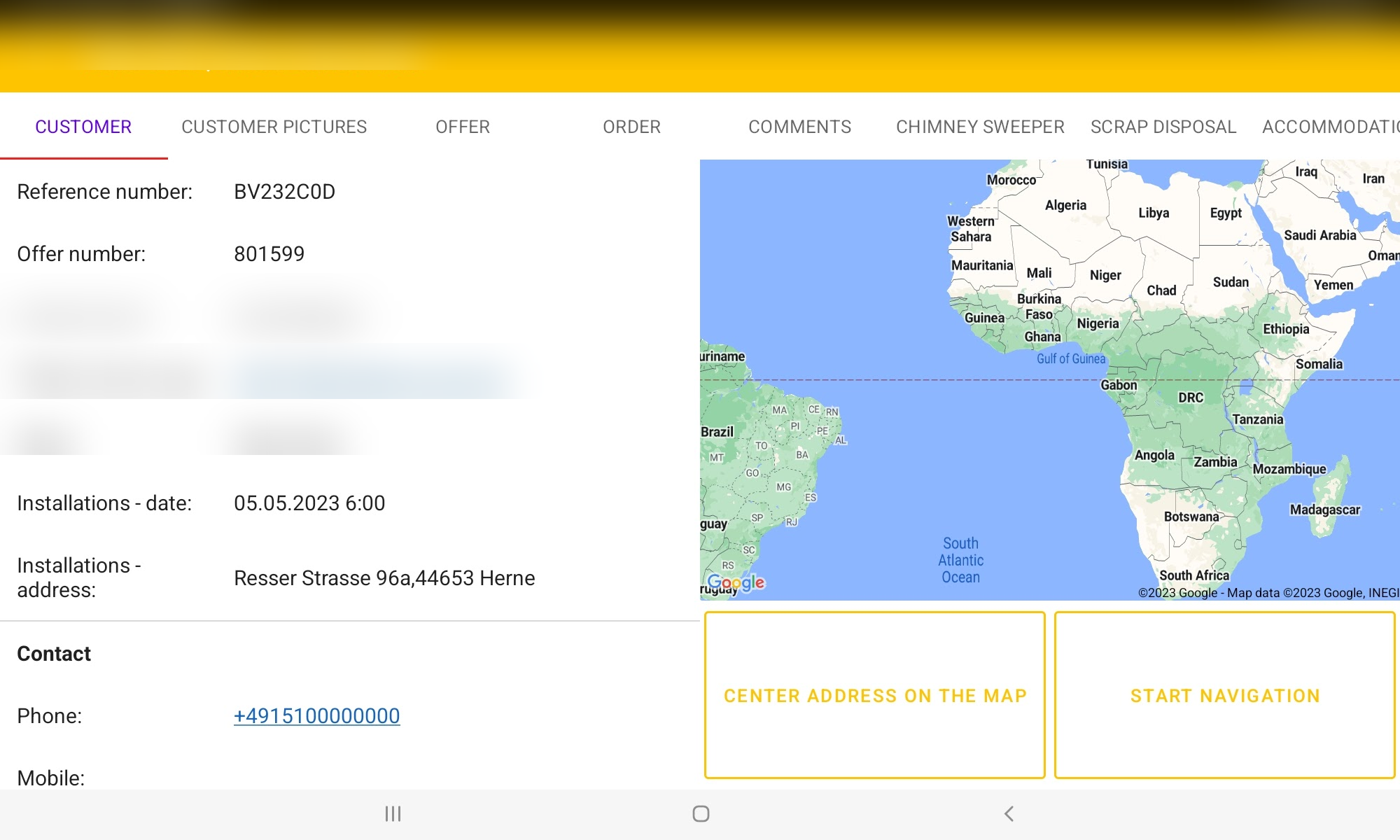
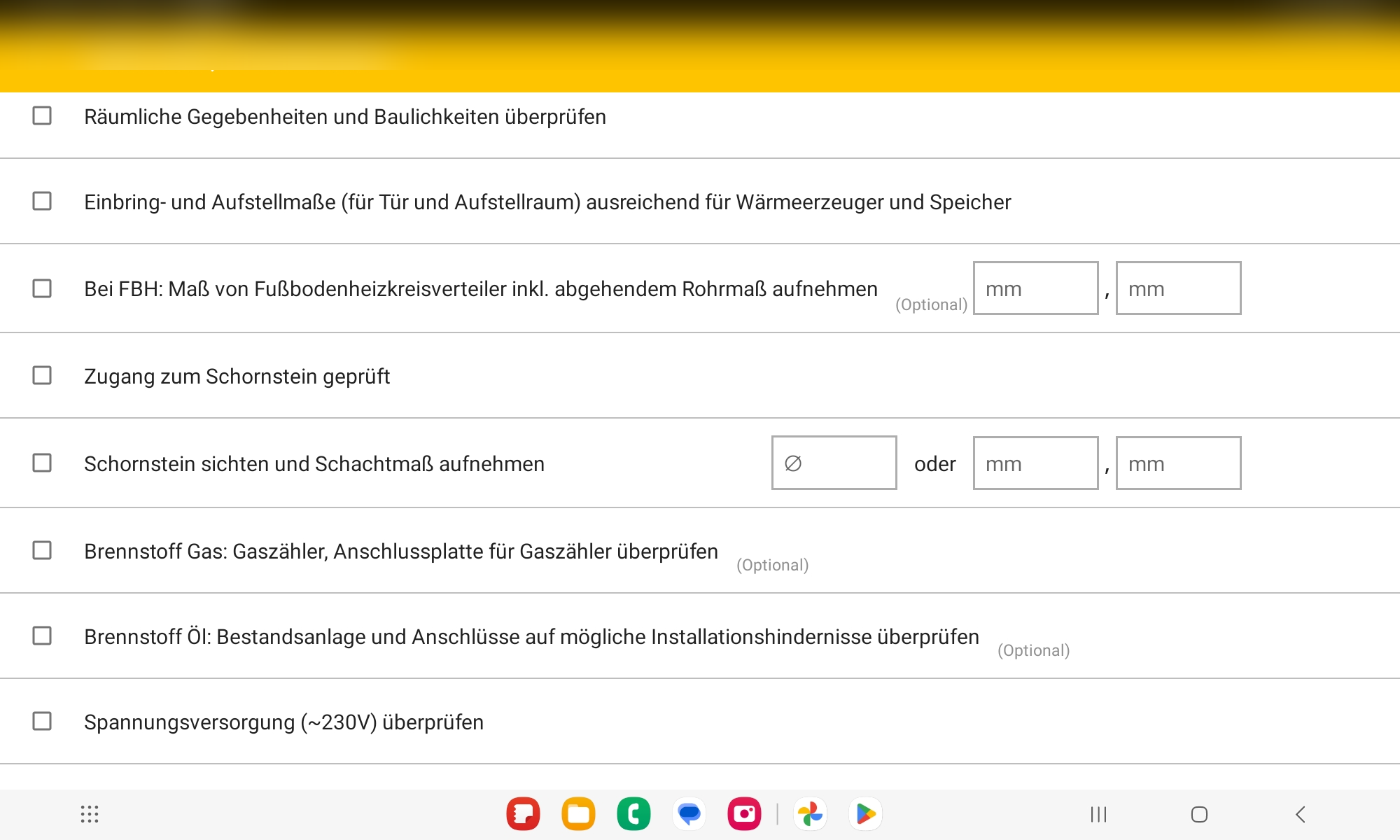
The app was failing installers at every stage of their working day. We identified three critical flows that needed to work, and currently didn't:
Planning the visit
Information was unfiltered, missing, or buried in the app. Installers showed up to jobs without what they needed.
Closing the visit
An unhandled close flow increased friction at the end of on-site work. Many scenarios had no documentation option and were pushed through the default pipeline.
Capturing installation data
Completely tied to the old world. Installers had to improvise to provide relevant information, creating gaps between what happened on site and what was documented.
The bigger picture
Every failure had a cost: return visits, cancellations, CSAT scores, and a First-Time-Right KPI that wasn't being met.
Validation
Getting our hands dirty
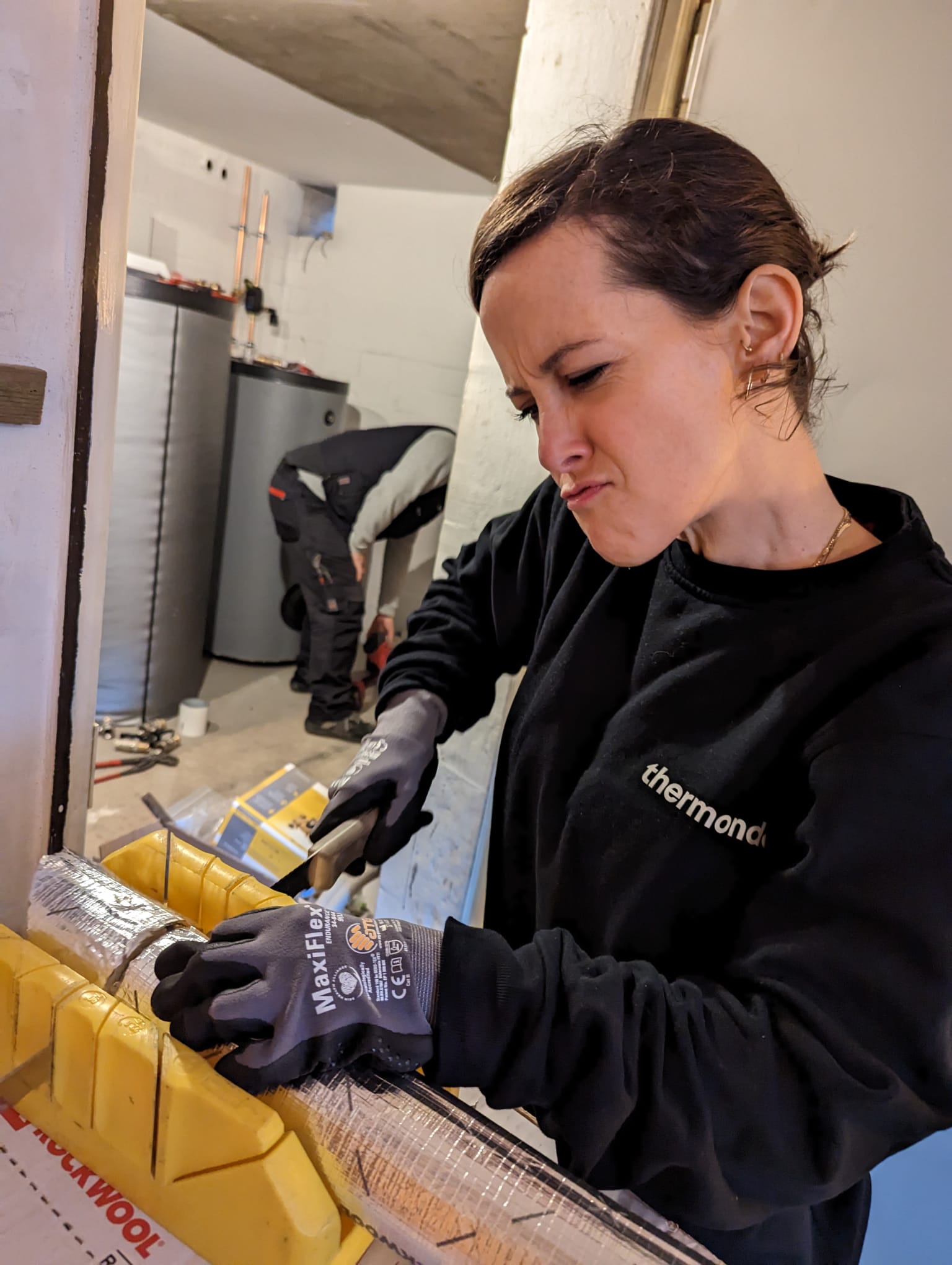
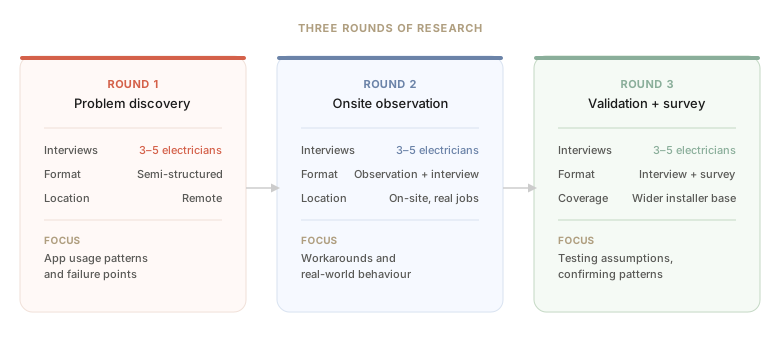
We went onsite. We watched installers work in real conditions, not just how they described it in a meeting room. Electricians were our starting point: the most time-bound, the most structured, and the clearest signal of where the system was breaking down.
What We Found
The app couldn't be fixed incrementally. It had to be rebuilt.
Information access
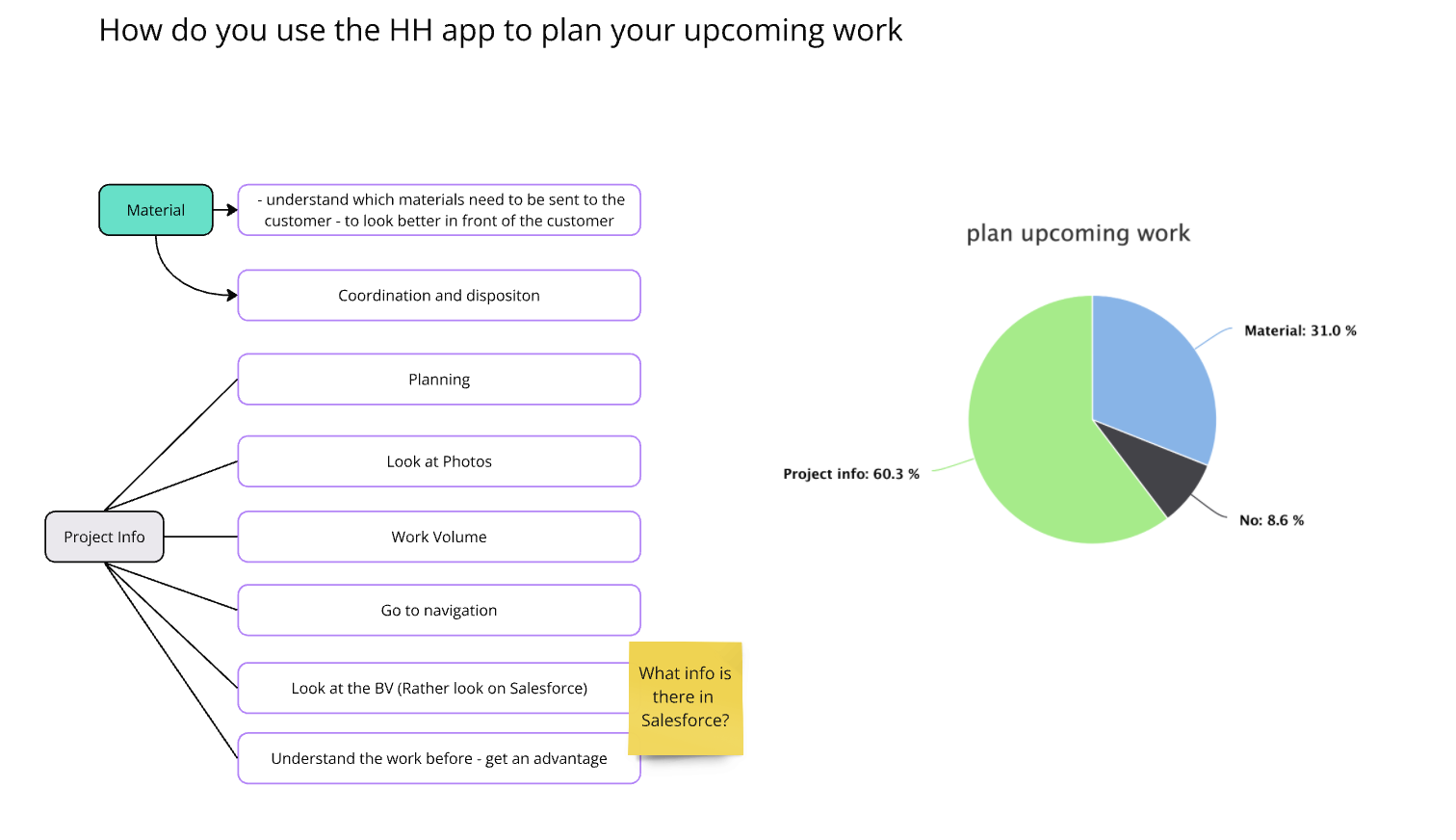
Electricians couldn't find what they needed, so they improvised. Critical job-specific details weren't surfaced at the right time, or at all.
Material ordering
Ordering was split across systems and didn't account for real constraints. Installers lost time finding workarounds during jobs.
Customer communication
Persistent gaps between what had been promised, what the customer knew, and what the installer had been told caused confusion at exactly the wrong moments.
Too much legacy. Faster to rebuild.
The codebase was too constrained to iterate on. Rebuilding from scratch was faster than fixing what was there.
The Solution
Three stages, one working day
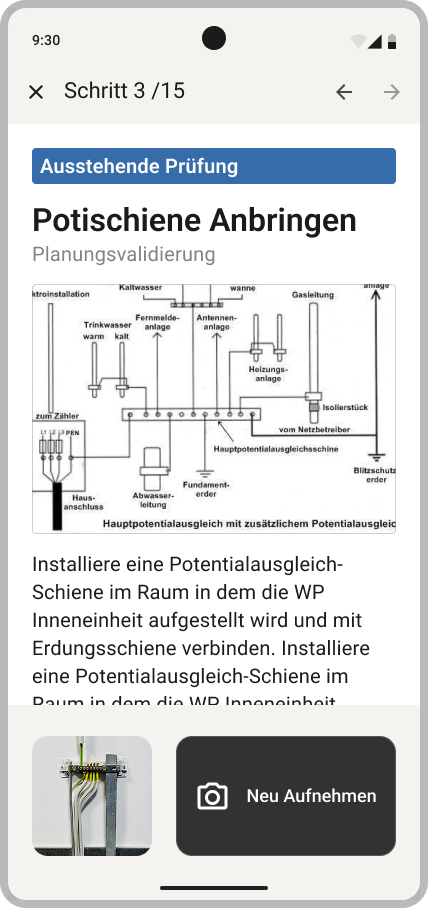
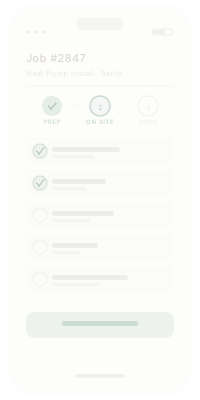
The solution was built around three distinct moments in an installer's day. Prepare: arrive knowing what the job requires. On Site: follow a structured sequence with evidence captured at every step. Quality Control: photos reviewed in the office, issues caught before they become return visits.

Planning the Visit

Data is power
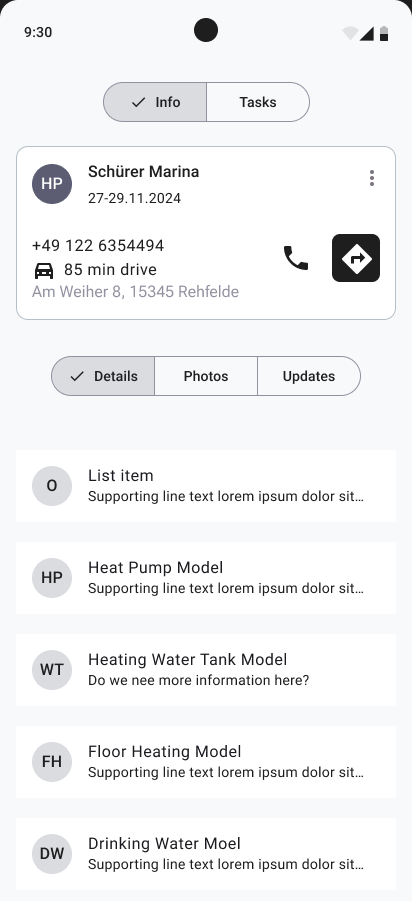
For an installer, coming prepared is everything. When the right information is in hand before the job begins, the installation runs without interruption. No unknown blockers. No surprises at the door.
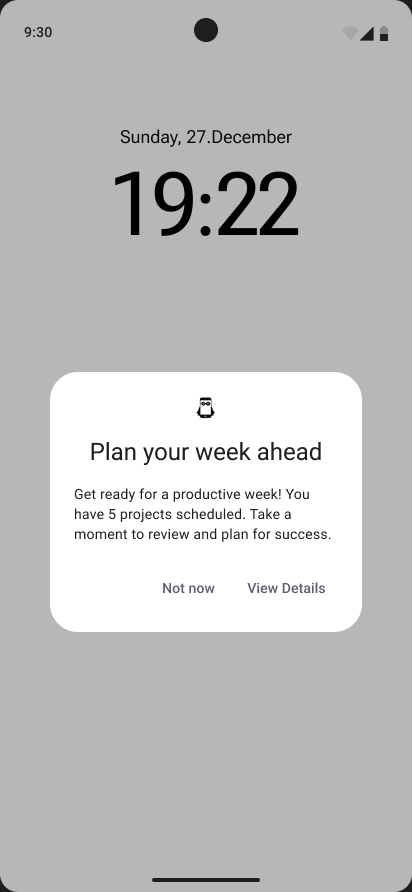
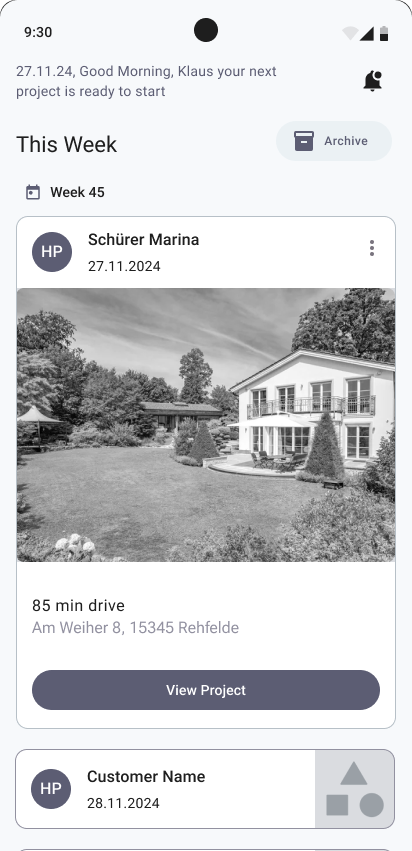
The new app surfaces everything an installer needs before they leave the house: a weekly overview of upcoming jobs, with the right level of detail at each stage.
On Site

Information aggregation
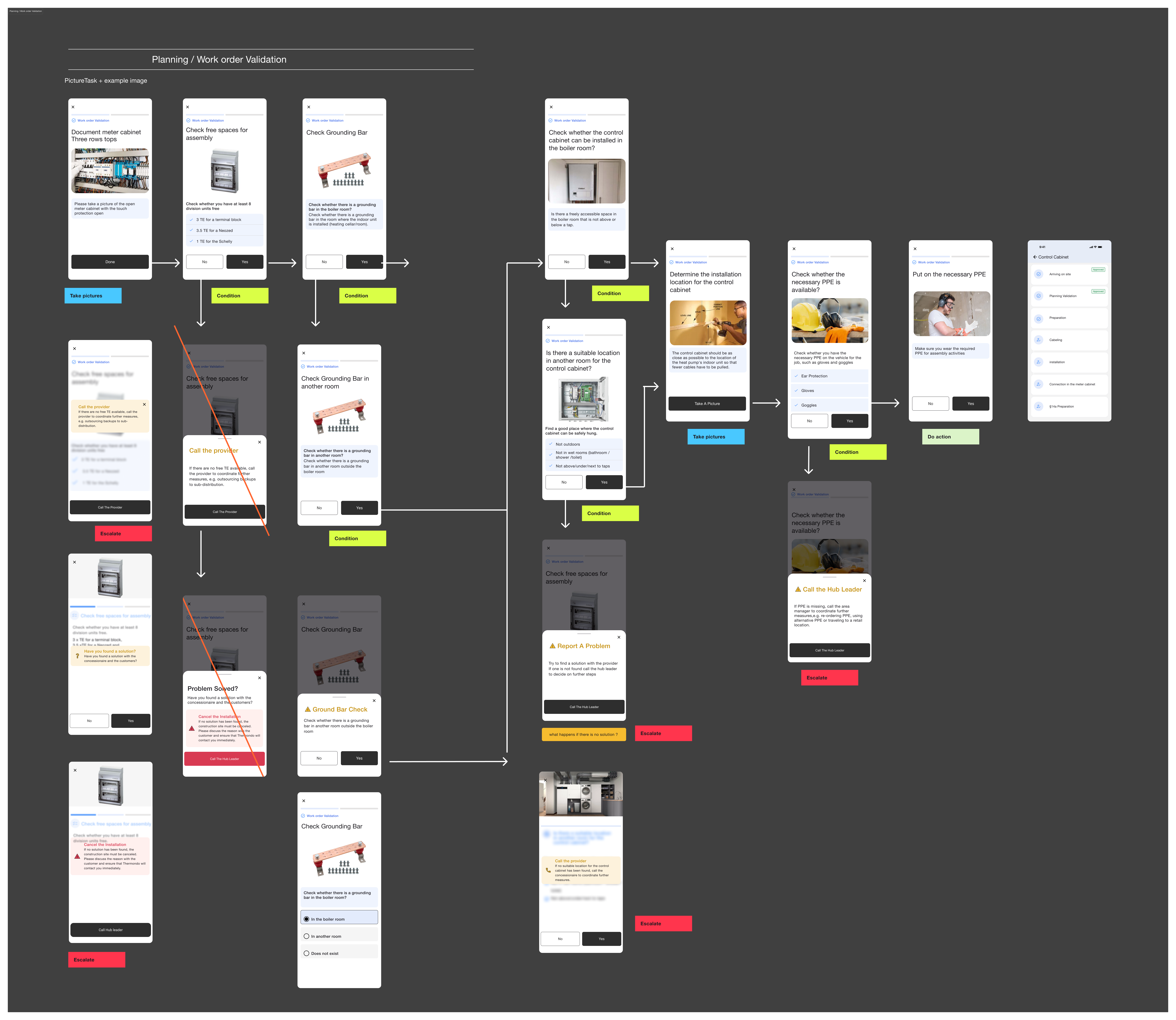
Before any design could happen, we had to define what each installation actually required. That knowledge lived in people's heads, not in any system. Getting it out meant working with the business to document every job type from scratch: what needed to happen, in what order, and with what evidence.
The result was a three-level structure that made complex field work navigable for the first time.
Work Groups
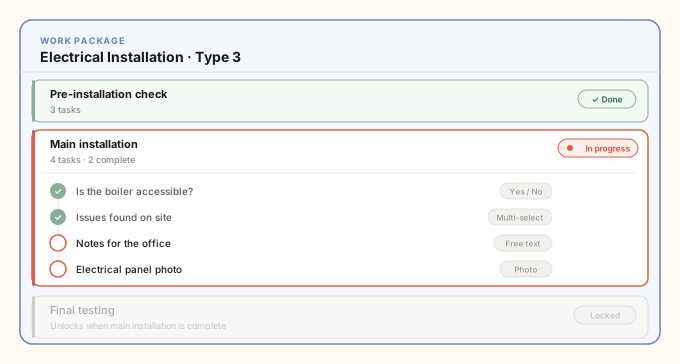
Within each work package, the job is broken into ordered work groups: discrete phases that have to be completed before the next one unlocks. Installers always know where they stand. The logic is enforced by the app, not by memory.
Tasks
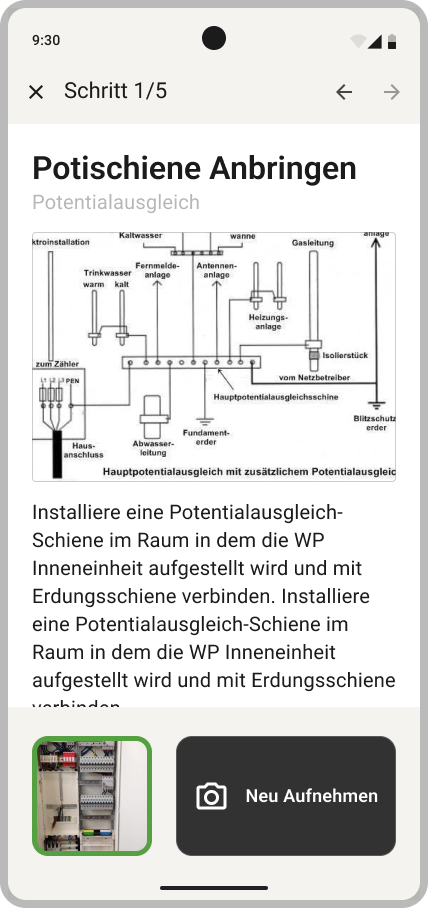
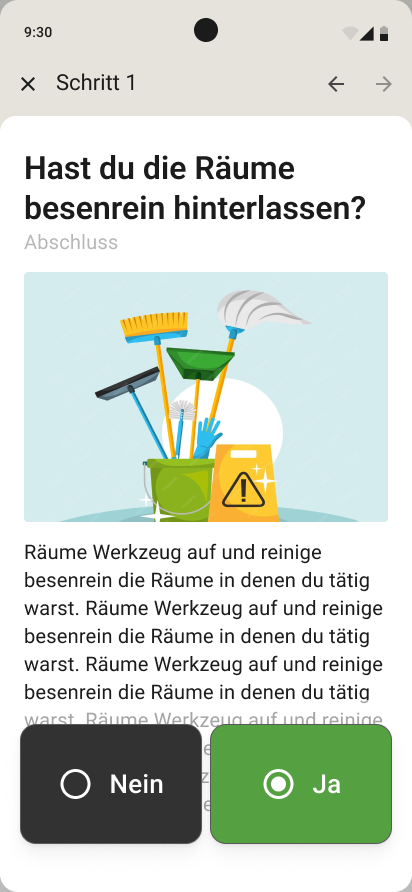
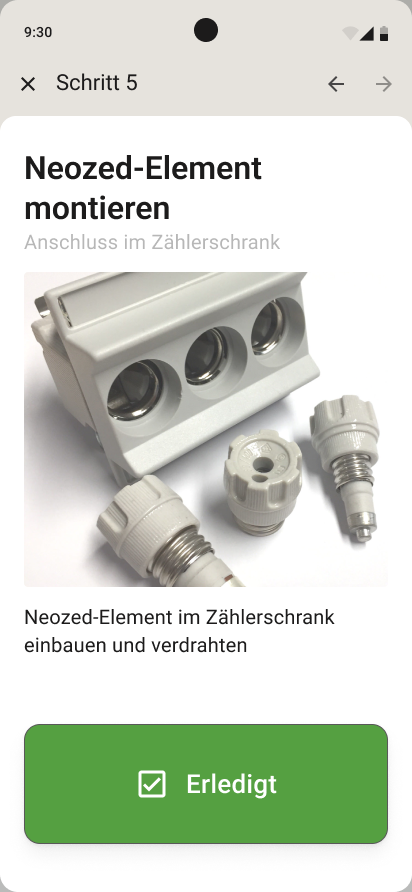
Inside each group, tasks capture what happened. Each task type is matched to a specific kind of moment on site.
Quality Management

Aligning office expectations with field reality
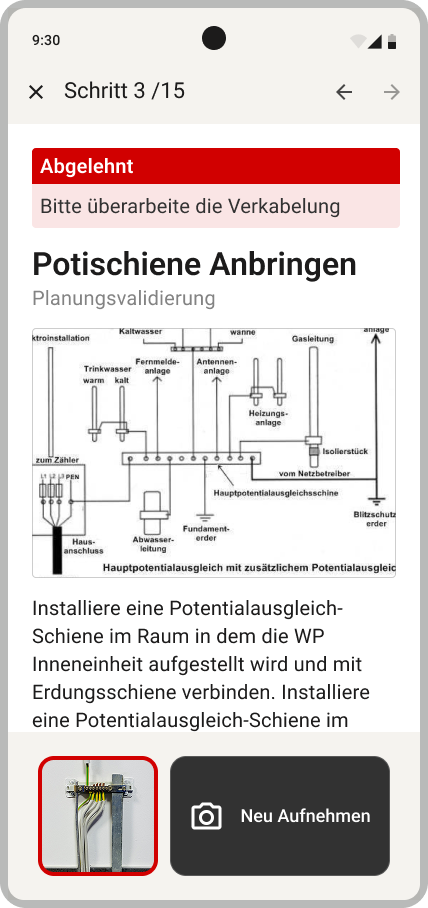
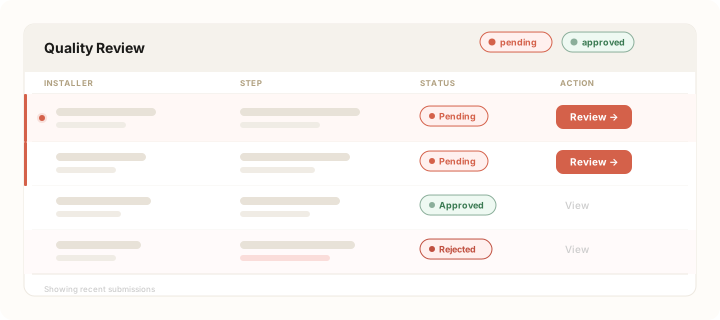
For critical installation steps, the app prompted installers to capture photos, which then moved through a review process: pending, rejected, or approved.
Rejected steps came back to the installer with clear feedback and a required re-capture, closing a loop that hadn't existed before.